iOS App Group ID Setup
Why this is required
When your iOS wallet app and DocumentProviderExtension need to share data, both targets must use the same App Group identifier.
The local DeveloperConfig.xcconfig file created in iOS Holder setup supplies this identifier. The build expands the same value into the app and extension entitlements and their Info.plist files; the setup guide also wires it into the Holder's iOS storage implementation.
This is required for an app bundle such as:
org.multipaz.samples.wallet.cmp.UtopiaSample
Important naming distinction in Apple Developer
On the Apple Developer Identifiers pages, there are two different values:
- Description (shown in your identifiers list as Name)
- Example value:
XC org multipaz samples wallet cmp UtopiaSample - This is the App ID display name, not the App Group identifier.
- Example value:
- App Group identifier
- Usually in the format
group.org.multipaz.samples... - This is the value you must add to entitlements for app-extension data sharing.
- Usually in the format
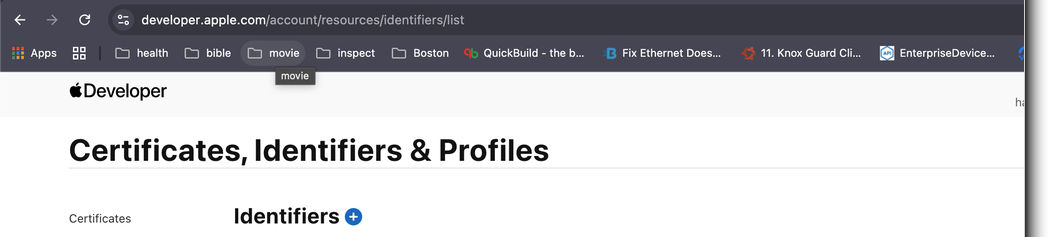
Identifiers list example (where the same string appears in the Name column):
Apply App Group to your App ID
- Open Apple Developer portal: Certificates, Identifiers & Profiles.
- Open the App ID for your bundle (
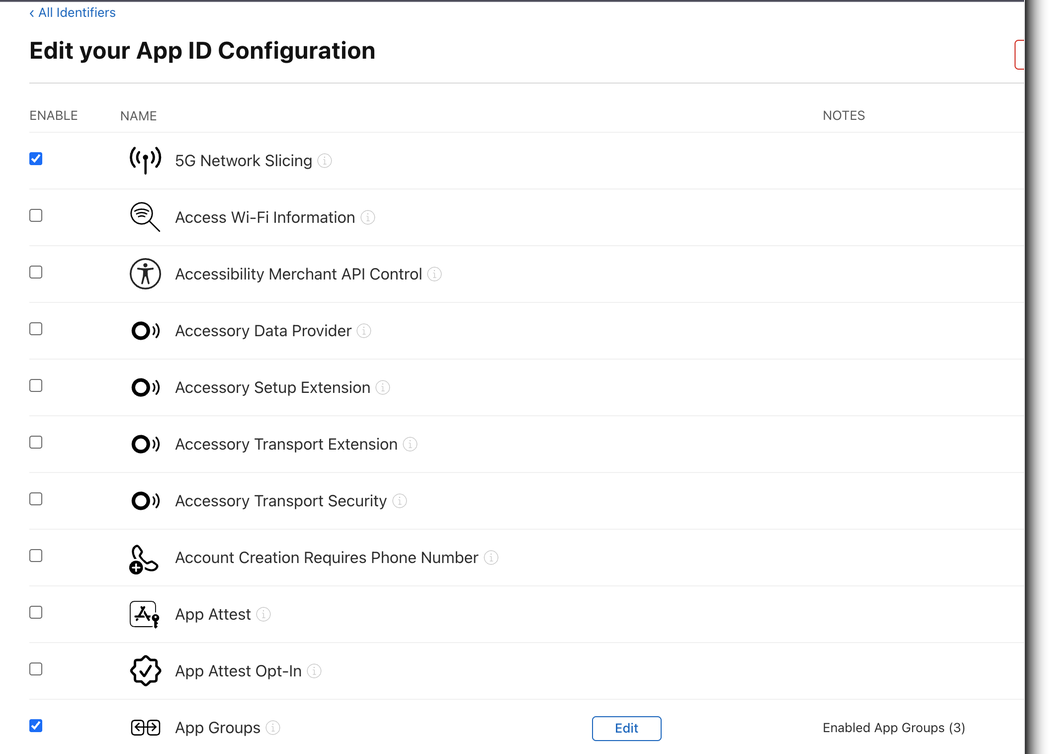
org.multipaz.samples.wallet.cmp.UtopiaSample). - On Edit your App ID Configuration, scroll to App Groups.
- Ensure App Groups is enabled (checked).
- Click Edit next to App Groups.
- Select or create the group ID you want to use (for example
group.org.multipaz.samples.wallet). - Save changes.
App ID configuration example (scroll to App Groups and click Edit):
Apply the same Group ID in Xcode
- Open your iOS project in Xcode.
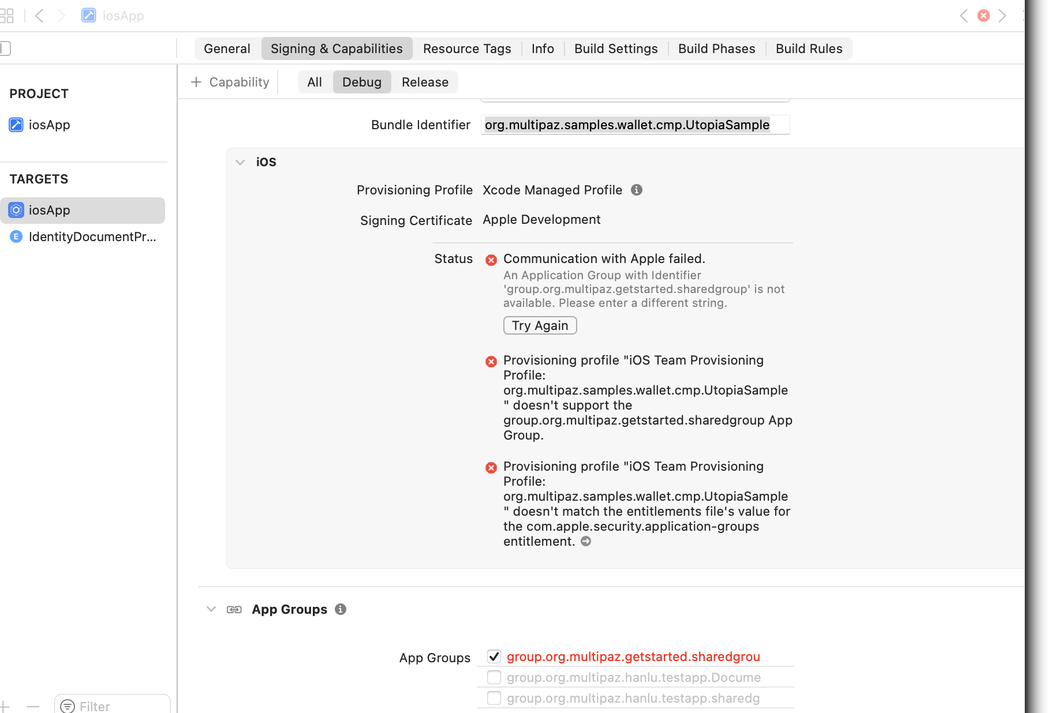
- For the app target, go to Signing & Capabilities and add App Groups (if missing).
- Add the exact same App Group identifier selected in Apple Developer.
- Repeat for the extension target (
DocumentProviderExtension) so both targets contain the same group ID.
Xcode example (App Groups capability in Signing & Capabilities):
Verify the configured value
Set the App Group once in the local configuration file:
APP_GROUP_ID = group.org.multipaz.samples.wallet
The codelab's checked-in entitlement files use that setting for com.apple.security.application-groups:
<key>com.apple.security.application-groups</key>
<array>
    <string>$(APP_GROUP_ID)</string>
</array>
Targets that commonly need this match:
iosApp.entitlementsIdentityDocumentProviderExtension.entitlements
The build also writes AppGroupID to both targets' Info.plist files. The Holder's iOS storage implementation uses this runtime value to locate the shared container.
Troubleshooting
- If you only set Description/Name, sharing will still fail because Description is not an App Group ID.
- If
APP_GROUP_IDis missing fromDeveloperConfig.xcconfig, the Holder reportsMissing AppGroupID in Info.plistat runtime. - Do not hard-code the group ID in committed entitlement or project files; the local configuration keeps signing values out of source control.
- If changes do not apply immediately, regenerate profiles in Apple Developer and refresh signing in Xcode.