Verifier
🕵️ Verifier
Learn how to build a verifier from the merchant's point of view. This guide follows the Multipaz Wholesale POS reference app.
Multipaz Wholesale POS is a point-of-sale terminal that accepts payments from a customer's Digital Payment Credential (DPC) presented over ISO 18013-5 proximity (NFC tap or QR + BLE), using Multipaz. It reads the customer's DPC, has the customer's device cryptographically authorize the exact amount (SCA payment transaction_data), and settles the payment on a ledger — moving funds from the customer's account to the merchant's account on a Multipaz records server (the "System of Record", or SoR). The POS app itself holds no signing key: it proves it is a genuine terminal build via device attestation to a small terminal backend, which holds the payment key.
The POS is deliberately split into an app and a terminal backend. The app reads the credential but does not hold the payment signing key. It proves that it is a genuine terminal build through device attestation; the backend holds the key and asks the records server to settle the transaction.
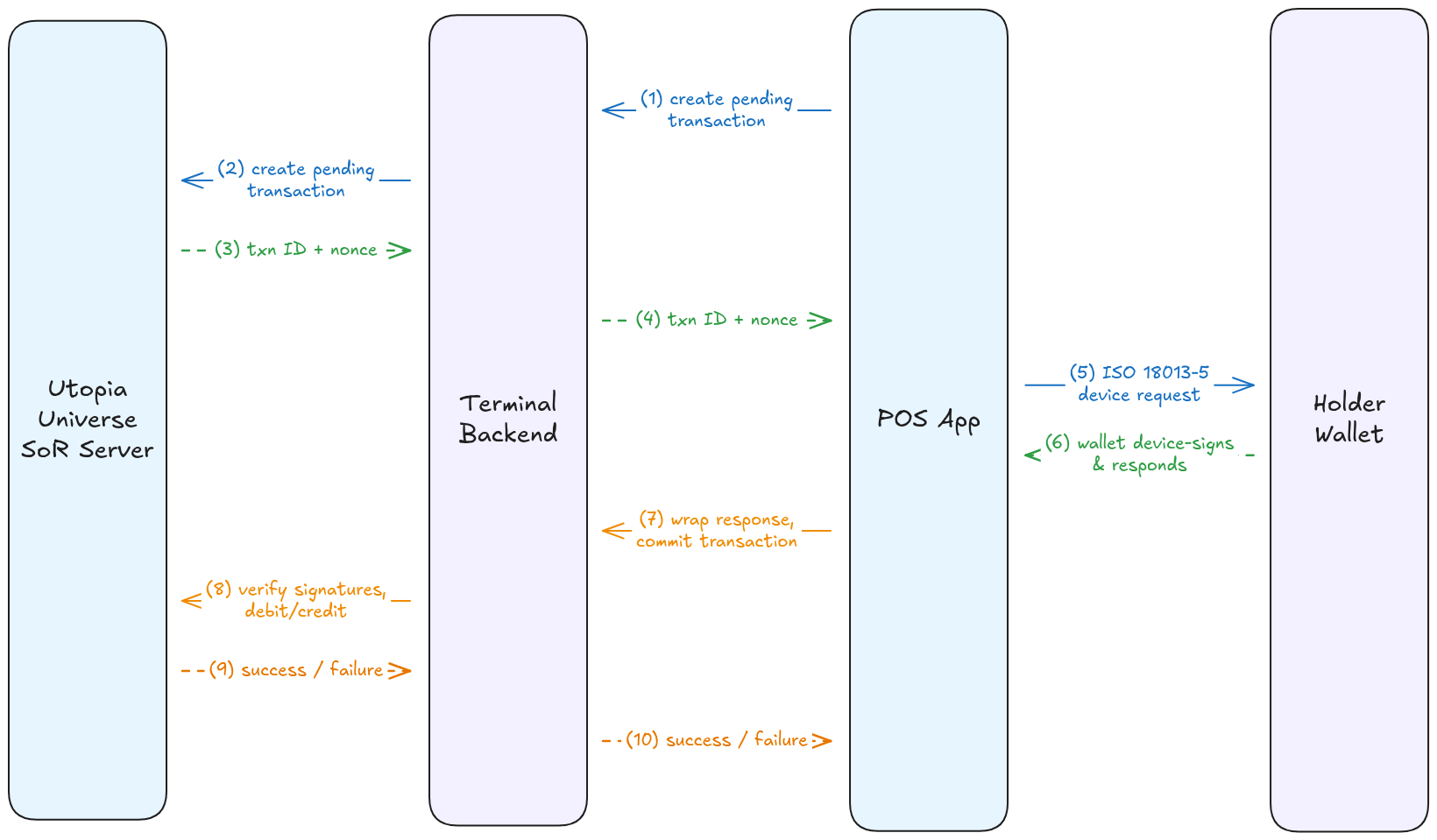
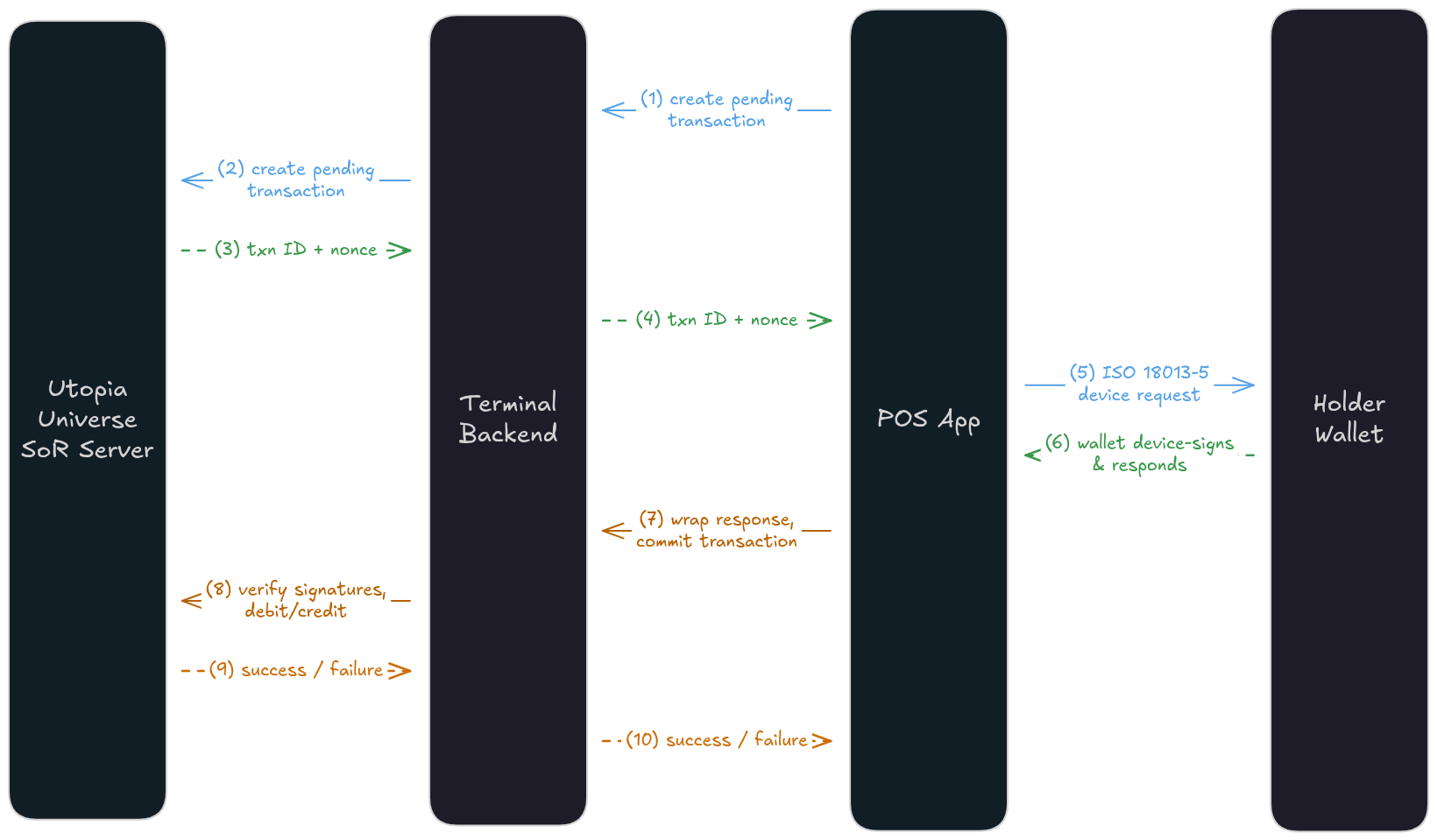
What this diagram shows: The holder shares a credential with the POS over proximity. The POS creates a DeviceRequest bound to the payment details, while the backend—not the app—holds the authority used to settle the transaction.
Start with the runnable demo to see the complete experience, then work through the implementation pages. Each contains a focused excerpt from the runnable POS source; use the source link below an excerpt when you need the surrounding UI or plumbing.
📄️ ▶️ Run the Wholesale POS Demo
The Multipaz Wholesale POS is the complete implementation behind this guide.
📄️ 🔐 Configure Terminal Trust
The POS terminal has two distinct trust boundaries:
📄️ 💳 Create a Payment Request
Before asking a holder to present a payment credential, the POS reserves a pending transaction with
📄️ 📡 Read a Credential over Proximity
The POS accepts an ISO/IEC 18013-5 engagement over NFC or by scanning an mdoc: QR code. Once it
📄️ ✅ Settle the Payment
After a successful proximity exchange, preserve the complete request, response, session transcript,